Online Notepad, Wordpad & Note Pad — Write Notes Online Free with Auto-Save
Whether you need to jot down a quick idea, draft a document, or keep a running to-do list, this online notepad and wordpad lets you start writing immediately — no account, no download, no friction. Use it as a lightweight word editor, a fast typing pad, a handy note pad, or a full text editor online — it works entirely in your browser with nothing to install. Your text is automatically saved as you type, so you never lose work between sessions. This free online wordpad is built for anyone who values speed, simplicity, and privacy in their everyday note-taking and document editing. Need to check your character count? Try our free character counter tool.
Everything You Can Do With This Free Online Note Pad and Wordpad
This free online notepad and wordpad editor is far more capable than it looks at first glance. Beneath its clean, minimal surface is a fully featured writing tool designed to handle everything from brief notes to longer drafts — all without installing a single piece of software. Whether you call it a notepad online, a web notepad, a note pad, or a free text editor, this is the same fast, private browser-based tool. Here is a closer look at each core capability.
Clean Interface and Dark Mode — Notepad Designed for Distraction-Free Writing
This digital notepad opens instantly in your browser with a user-friendly interface that puts the focus entirely on your words. There are no intrusive ads, no cluttered menus, and no pop-ups demanding you register. As a simple notepad online, the minimal design means the page loads fast and stays out of your way. For late-night sessions or low-light environments, dark mode switches the browser notepad to a dark background with light text, dramatically reducing eye strain. Toggle it on with a single click and the preference is remembered for your next visit.
Full-Screen Mode — Write Without Distractions in This Wordpad Editor
When you need to eliminate every distraction and enter a true writing flow, full-screen mode expands this wordpad editor to occupy your entire display. Browser chrome, taskbars, and other open tabs all disappear from view. This makes the online notepad tool particularly useful for longer drafts, creative writing, or any time your productivity depends on staying focused on a single task. Press Esc at any time to return to the standard view.
Autosave — This Online Note Pad Never Loses Your Work
The most important feature of this online notepad and wordpad is its autosave functionality, powered by the HTML5 localStorage API. Every change you make is written to your browser's localStorage — typically within one second of typing. This makes it a truly notepad free of manual saving: your wordpad notes are protected automatically. Because this happens locally, your data never leaves your device and nothing is sent to any external server.
- Your notepad notes are automatically restored when you visit again, even after closing and reopening the browser entirely.
- The default save interval is 1000ms (one second), so data loss is virtually impossible during normal use.
- Notes will remain stored until you clear cookies and other site data through your browser settings.
- Important: Avoid using this virtual notepad in an Incognito or Private browsing window. Private sessions do not retain localStorage data, so your notes will be lost when you close the tab.
- To create a permanent backup, use the Download button to save and download text files directly to your computer.
Word Counter, Find and Replace, and Spellcheck — Built Into This Free Notepad
This notepad editor and wordpad editor includes the same core utilities you would expect from installed desktop software, supporting smooth text editing and formatting throughout your workflow. Whether you are using it as a quick online typing pad or a full word processor online, these built-in tools keep you productive:
- Word counter: The built-in word counter in this online notepad displays a live count of words, characters, and paragraphs as you type — indispensable for writers and students hitting a target length.
- Find and replace: The find and replace panel lets you locate any word or phrase and swap it out — individually or all at once — saving significant time during text editing in this wordpad editor.
- Spell checker: The integrated spellchecker highlights misspelled words as you type in this free notepad. Right-click any underlined word to see suggested corrections — a real-time proofreading layer built in.
- Undo redo: Full undo redo history in this online wordpad means every edit is reversible. Use Ctrl+Z to undo and Ctrl+Y to redo.
- Rich text formatting: This notepad and wordpad goes beyond plain text — rich text formatting lets you apply bold, italic, underline, font family, font size, and color for structured documents.
- Insert date and time: Quickly timestamp your wordpad notes with the current date and time — ideal for journaling, meeting notes, or logs in this web notepad.
- Character map and emoji list: Access the character map to insert special symbols, or browse the emoji list — features you rarely find in a basic notepad online free tool.
- Print page: Send your document to your printer or save as PDF using the print page option — this wordpad online produces clean, formatted hard copies without leaving your browser.
Download, Upload, and Duplicate Wordpad Notes With One Click
You can save files from this notepad online free to your local drive in plain text format with one click — no account needed. The Upload feature lets you open an existing .txt file from your computer and continue editing it inside this free wordpad. If you need to preserve a particular version before making changes, the Duplicate function creates an identical copy so your original wordpad notes are never overwritten. These features collectively make writing and saving text online effortless and reliable.
How to Use This Online Wordpad and Note Pad — Start Writing Notes Instantly
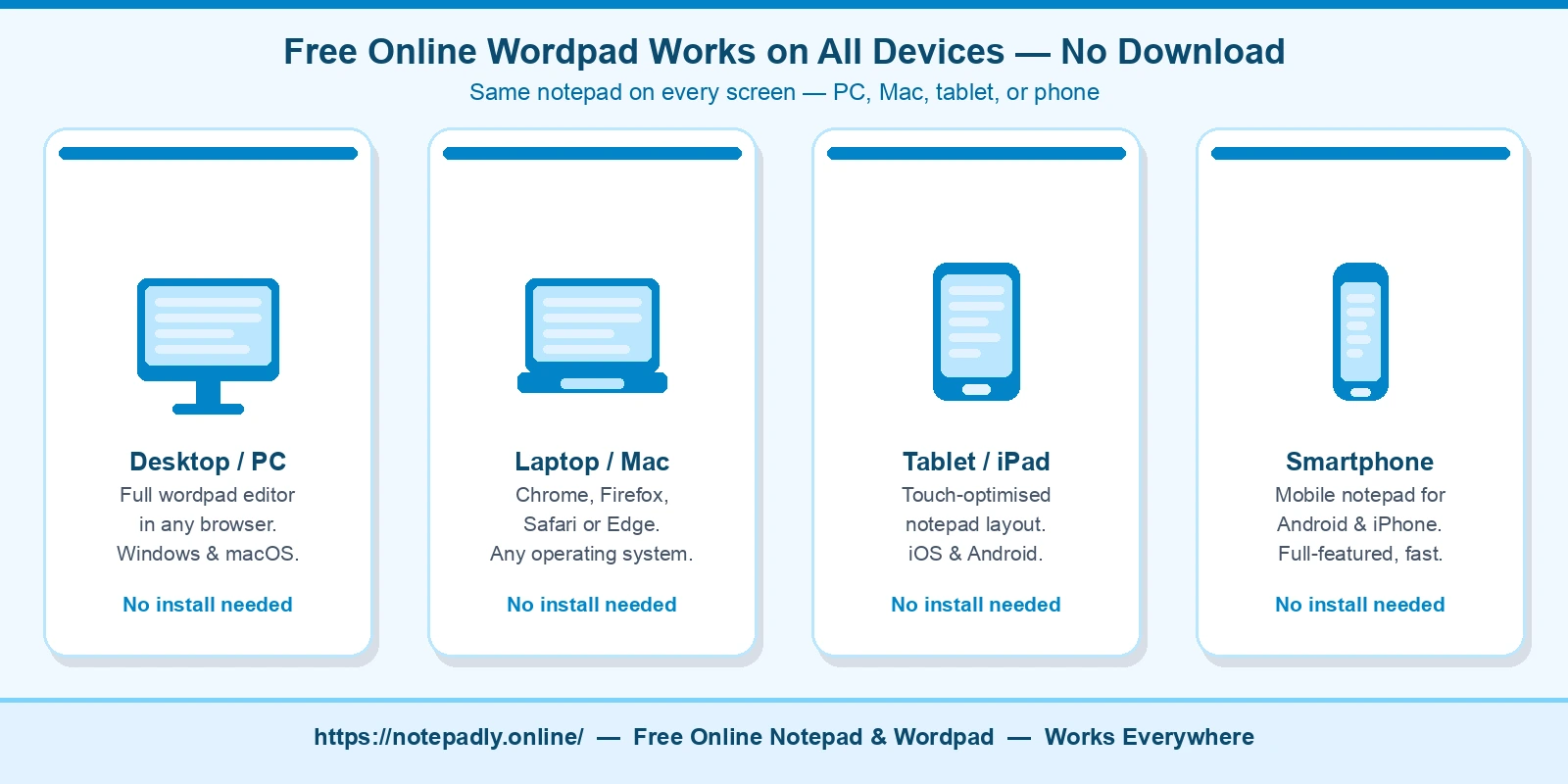
Getting started with this online wordpad and note pad requires zero setup. There is no registration or login required — no email address, no password, no subscription tier. You arrive at the page and your cursor is already in the editor, ready to go. This free word pad online works on any device with a modern browser — Windows, Mac, Android, or iOS. Here is how the full workflow unfolds from first keystroke to saved file.
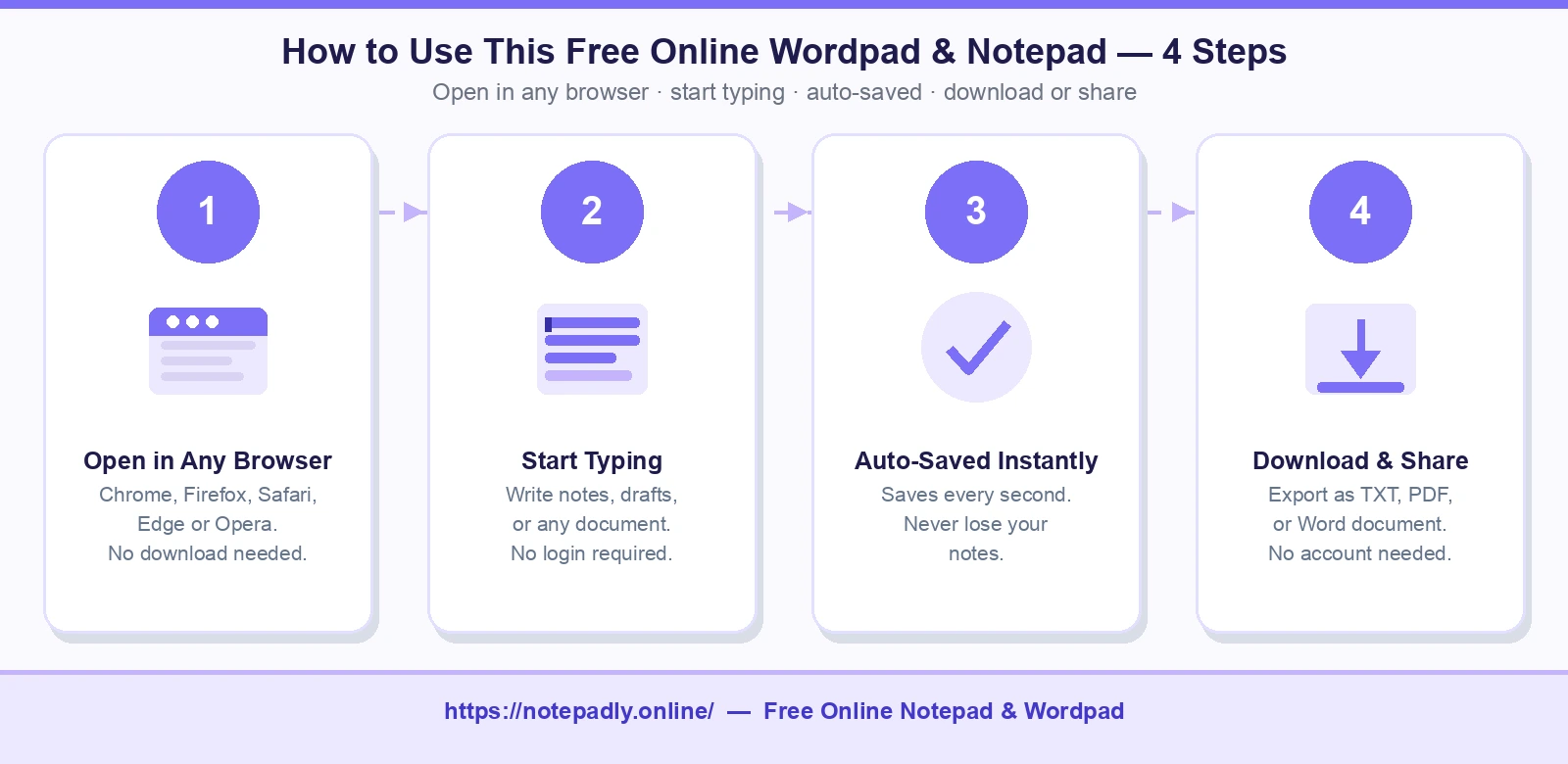
Step-by-Step: Drafting, Formatting & Saving Your First Note in This Wordpad
- Open the page and start typing. This quick notepad is active the moment the page loads — just open your browser, visit Notepadly, and type notes online or write text online right away. No signup required.
- Format your text in this wordpad. Highlight any word or phrase and use the toolbar or keyboard shortcuts to apply styling. Press Ctrl+B to bold, Ctrl+I to italicize, or Ctrl+U to underline. This free text editor also offers font family, font size, and text color controls for richer documents.
- Watch autosave work in this online notepad. As you type, the auto-save mechanism quietly writes your content to browser localStorage in the background — your wordpad notes are secured automatically every second.
- Use the word counter in this notepad online. Check your live word and character count in the toolbar at any time — a built-in feature of this online wordpad that no separate app is needed for.
- Download when finished. Click Download or Save As to export from this notepad online free to your device. This is how you backup important notes permanently, independent of your browser's storage.
How to Bold Text, Count Words & Use Keyboard Shortcuts in This Notepad
Power users will appreciate that most common actions in this online notepad and wordpad are accessible via standard keyboard shortcuts, eliminating the need to reach for the mouse. These work identically whether you are using it as a notepad tool or a full wordpad editor:
- Bold text in this notepad: Select text → Ctrl+B (Windows/Linux) or Cmd+B (Mac).
- Count words in this wordpad: The live word counter is visible in the toolbar at all times. Highlight a passage to count just that selection.
- Copy / Paste / Cut: Ctrl+C to copy, Ctrl+V to paste, Ctrl+X to cut — standard across this online notepad.
- Find and replace in this wordpad editor: Ctrl+H opens the find and replace panel directly.
- Save / Download notepad notes: Ctrl+S triggers the save/download prompt to export your file.
- Print from this free wordpad: Ctrl+P opens the print dialog for immediate output.
- Undo / Redo: Ctrl+Z / Ctrl+Y for full multi-step history navigation in this word pad online.
Why This Online Wordpad Beats Installed Software for Capturing Ideas Fast
Traditional installed applications like Windows Notepad or Microsoft Word require you to launch a program, navigate to a save location, and manage files on your hard drive — steps that add real friction when you just need to capture an idea fast. This online wordpad eliminates all of that. Because it is a free browser-based word editor, it is available on any device with a modern browser: Windows, macOS, Linux, Android, iOS. There is nothing to install, update, or license. Unlike the discontinued Microsoft WordPad desktop app, this word pad online is always up to date and requires zero maintenance.
For writing quick notes and printing simple pages, this approach is dramatically faster. You open a tab, write text online, and your content is already saved. When you return later, your work is right where you left it — notes persist between sessions automatically. Use it as a cloud notepad with a free account, or keep it purely local as a notepad without login. Compare that to opening a word processor, creating a new document, choosing a save location, and naming the file before you have even written a single word.
Privacy & Security: What Happens to Your Text in This Notepad
This internet notepad and wordpad is built with a privacy-first architecture. All writing and document editing happens entirely inside your browser — there is no server processing your keystrokes. Browser-based local storage stores your content as a local key-value pair on your own device — nothing is uploaded to a cloud server, no account is created, and no analytics are tied to your content. Your data never leaves your device during a normal session. This is what makes it a truly private online notepad.
This design makes the notepad free of privacy concerns for sensitive material: draft emails, confidential meeting notes, personal journaling, or preliminary document editing before content is shared. For maximum security, use the Download button to save documents directly to your computer after each session. Remember that if you choose to clear cookies and other site data, your saved notes will be erased from the browser — another reason why downloading is a good habit.
Browser Compatibility & Mobile Access — Use This Note Pad on Any Device
This web notepad and wordpad works across every major modern browser: Google Chrome, Mozilla Firefox, Safari, Microsoft Edge, and Opera. JavaScript must be enabled for autosave and toolbar features to function. As a cross-platform notepad online, its layout adapts automatically to any screen size. On a smartphone or tablet, the toolbar collapses into a touch-friendly format so every feature — including the word counter, find and replace, and dark mode — remains accessible without pinching or horizontal scrolling. This makes it genuinely mobile friendly as a notepad for Android and iOS, not just technically usable on mobile.
Key Features of Our Wordpad Online and Note Pad — Quick Reference
This wordpad online and note pad editor brings together a comprehensive set of tools under one minimal roof. Use it as a free notepad online, a note taking tool, or a full writing pad online — the feature set is the same regardless. Below is a summary of everything at your fingertips:
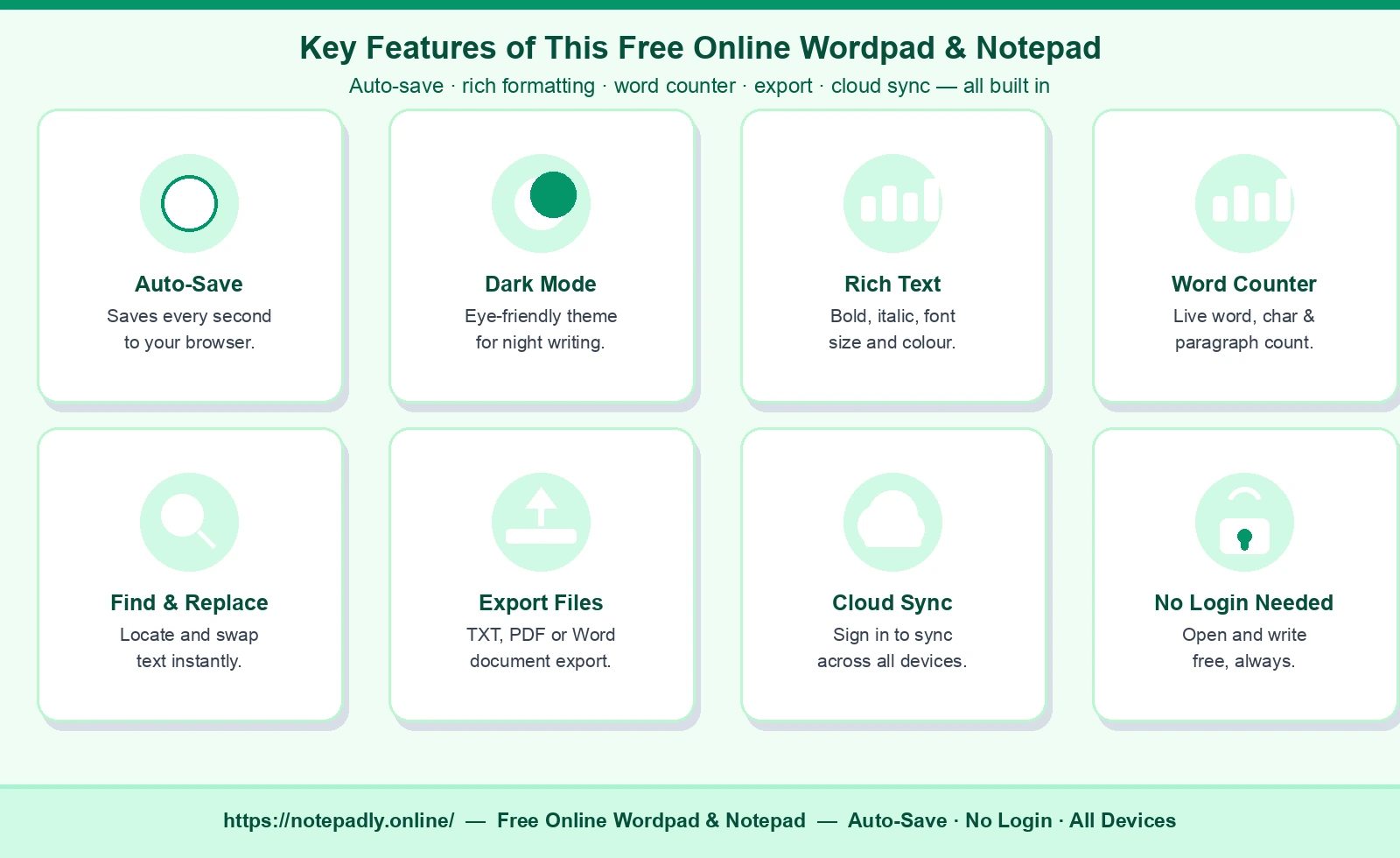
- User-friendly interface: Instant load, zero clutter, distraction-free canvas — everything you want from a simple notepad online.
- Editing and formatting: Bold, italic, underline, font formatting (family, size, color), lists, and indentation — full rich text formatting support in a free text editor.
- Auto-save: This notepad free of manual saving writes content to localStorage every second — saves your draft automatically without any action required from you.
- Cloud sync & cross-platform: Sign in for cloud notepad sync; use it as a notepad for PC, Mac, Android, or iOS — same tool everywhere.
- Notes search in this wordpad: Use find and replace to locate and update any text string inside large documents instantly — a power feature in this online notepad tool.
- Collaboration and sharing: Download your wordpad notes as a .txt file and share via email, messaging apps, or cloud storage for lightweight collaboration.
- Full-screen mode: One-click immersive environment that turns this browser notepad into a distraction-free writing space.
- Dark mode: Eye-friendly dark theme — perfect for a notepad with dark mode for late-night writing sessions.
- No sign-up required: Open the page and you are immediately inside this notepad without login. No registration required, ever.
- Mobile friendly: A true mobile notepad — works on phones and tablets with a touch-optimized, fully responsive layout.
- Keyboard shortcuts: Full shortcut support for every major action — power-user-grade features in a quick notepad.
- Print page: Send your document to any printer or export as PDF directly from this internet notepad.
- Insert date and time: Stamp wordpad notes with a timestamp for logs, journals, and meeting records.
- Symbol browser & emoji panel: Insert special symbols and emoji without leaving the online notepad tool.
- Undo redo: Deep history stack so every edit in this digital notepad is safely reversible.
- Spellchecker / spell checker: Real-time spell check with right-click correction suggestions — built into this wordpad online with no extensions needed.
- Word counter: Live word, character, and paragraph counts — essential for any writing pad online.
- Open and save files: Upload .txt files to this free notepad online for continued editing, then export finished documents to your drive — a complete notepad and wordpad file workflow.
Online Wordpad and Note Pad for Taking Notes — Who Is It For?
This free online wordpad and note pad is not limited to any one type of user. Anyone who browses the internet and needs to capture text quickly will find it useful — from a student wanting a notepad online free to a professional needing a fast internet notepad without downloading software. Below are the most common use cases.
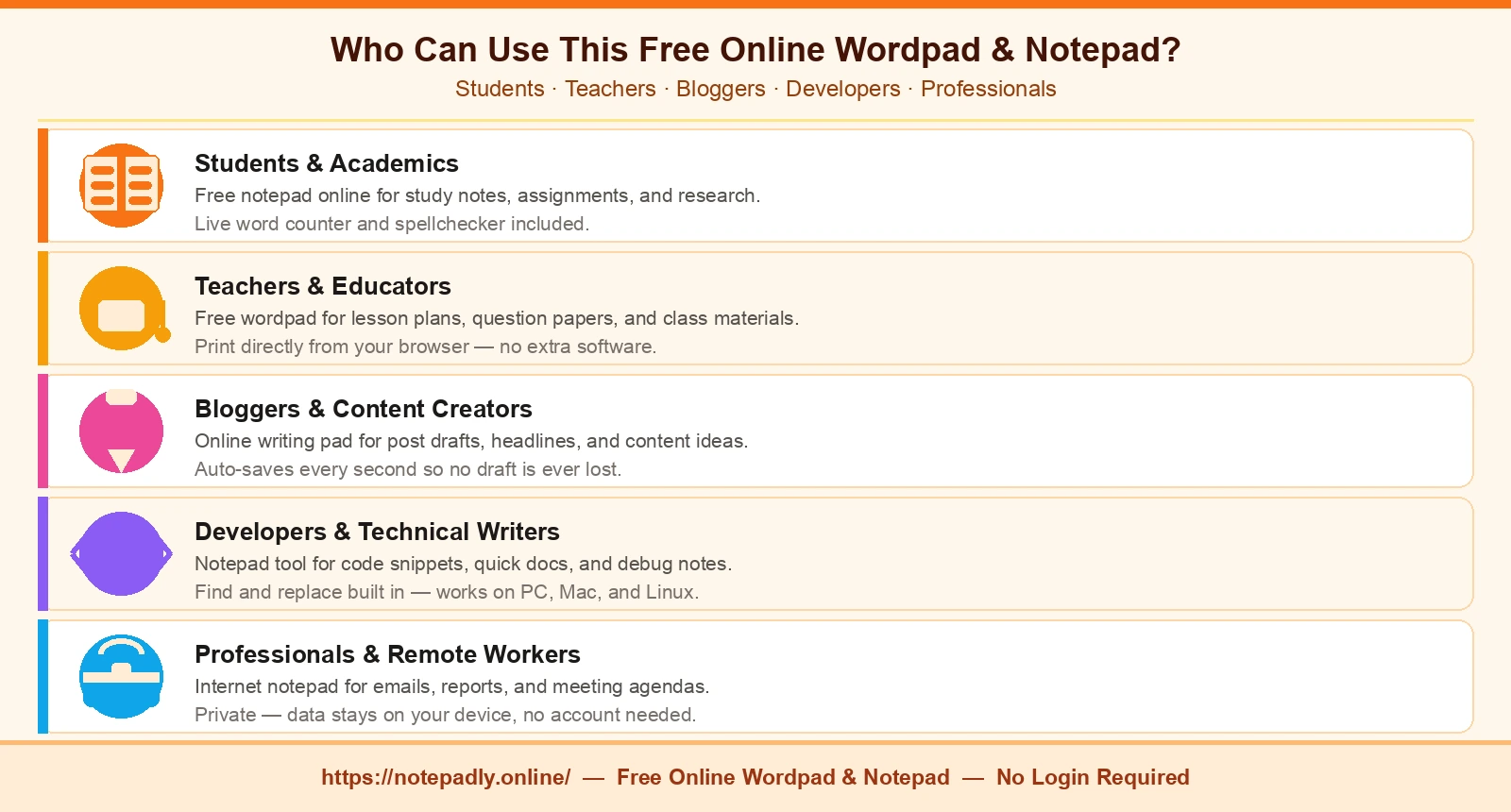
Students and Academics — Free Notepad Online for Study and Research
Students can use this word pad online and notepad for students to make notes on assignments, research papers, and homework without switching applications. Because it runs in the browser alongside their research tabs, this online scratch pad is available instantly — no software launch required. The built-in word counter helps hit assignment word targets, and the spellchecker keeps writing polished. Exporting to TXT or Word means finished notepad notes are ready to hand in or attach to an email without conversion.
Bloggers and Content Creators — Online Writing Pad for Drafts and Ideas
Bloggers use this online typing pad and notepad tool to draft posts, brainstorm headlines, and capture ideas mid-research without losing their train of thought. Because this online wordpad saves automatically, a half-written draft is never at risk. Writers can format headings, toggle dark mode for night-time sessions, and export drafts as Word documents to pass to editors — all from a single browser notepad tab.
Teachers and Educators — Free Wordpad for Lesson Plans and Question Papers
Teachers can write text online — question papers, lesson plans, and classroom instructions — directly in this free wordpad and notepad. The clean, distraction-free interface makes it easy to stay focused. Rich text formatting — including bold, italic, and ordered lists — lets educators structure materials clearly. Print directly from this notepad free of charge tool to produce paper copies without needing a separate word processor.
Developers and Technical Writers — Notepad Tool for Code Snippets and Docs
Developers use this text pad and wordpad editor to draft snippets, write quick documentation, or store temporary code blocks during a debugging session. As a notepad for PC and Mac, it launches instantly in any browser tab without interrupting their workflow. The monospace font option and find and replace feature make this online word editor practical for technical text — and unlike basic browser-based notepads, it preserves line breaks and indentation exactly as entered.
Researchers and Professionals — Internet Note Pad for Gathering Sources
Researchers gathering sources across multiple tabs use this wordpad tool as a central scratch pad for quotes, citations, and interim conclusions. Professionals drafting emails, proposals, or meeting agendas before pasting into their work applications benefit from the auto-save and rich-text support. Because data never leaves your device, this online word processor alternative is appropriate even for sensitive or confidential material.
Online Wordpad and Note Pad vs Microsoft WordPad — What Is the Difference?
Microsoft WordPad was a basic word editor built into Windows from 1995 until it was removed in Windows 11 version 24H2 (October 2024). Many users searching for a wordpad replacement, a free online word pad, a note pad alternative, or a free online WordPad alternative arrive at tools like Notepadly. Here is how they compare.
| Feature | Notepadly Online Wordpad | Microsoft WordPad (discontinued) |
|---|---|---|
| Availability | Any browser, any OS, any device | Windows only, removed in 2024 |
| Installation required | No — runs in browser | Yes — Windows built-in |
| Auto-save | Yes — every second to localStorage | No — manual save only |
| Dark mode | Yes — toggle anytime | No |
| Word counter | Live word, character & paragraph count | No built-in counter |
| Cloud sync | Yes — with free Notepadly account | No |
| Mobile support | Fully responsive on phones & tablets | Desktop only |
| Cost | Free, no login required | Free (bundled with Windows, now removed) |
In short, Notepadly's online wordpad goes well beyond what the original desktop WordPad offered — it is faster to access, works on every platform, and adds modern features like auto-save, cloud sync, dark mode, and a live word counter that the original never had. If you are looking for a free WordPad replacement that works without installation, this is it.
Frequently Asked Questions About This Online Wordpad and Note Pad
Is this online wordpad completely free?
Yes. This free online wordpad is entirely free to use on any device — desktop, laptop, tablet, or smartphone. There are no hidden fees, no premium tiers for basic features, and no expiring trials. You can write, edit, format, and save notes without spending anything.
Do I need to log in to use the wordpad online?
No login is required to use the word pad online. The editor is active the moment you open the page. Your notes are stored locally in your browser. If you create a free Notepadly account, you unlock cloud sync across devices, but it is entirely optional.
Can I Save Wordpad Notes as a Word Document, TXT, or PDF?
Yes. This online word editor supports exporting notes as a Word (.docx) file, a plain text (.txt) file, a PDF, HTML, or Markdown. Click the File menu and choose the export format that suits your workflow.
What happened to Microsoft WordPad?
Microsoft removed WordPad from Windows in October 2024 with the Windows 11 24H2 update. Users who relied on WordPad for basic word editing now need an alternative. This online wordpad fills that gap — it is free, runs in any browser, and offers more features than the original desktop app ever had.
Can I upload a file and edit it in this wordpad?
Yes. Use the Open File option (Ctrl+O) to upload a .txt file from your computer. The file content loads into the word pad editor instantly, ready to edit. When finished, export it back to your preferred format.
Does this online wordpad work on mobile?
Yes. This online wordpad is fully responsive and works on Android and iOS browsers. The toolbar adapts to touch input, and all features — including dark mode, word counter, and file export — are accessible on mobile screens without any app installation.
Is My Text Stored on a Server — Is This Online Notepad Private?
Without an account, your notes are stored entirely in your browser's localStorage — they never leave your device. If you sign in and enable cloud sync, notes are encrypted and stored on Notepadly's servers so they are accessible across devices. Local storage only is the default for unregistered users.
Can I Use This Wordpad as Both a Rich Text and Plain Text Note Pad?
Both. This free wordpad supports rich text editing with bold, italic, underline, font size, font family, text color, and lists. It also works as a plain text editor — simply type without applying formatting for clean, unformatted output. Switch between modes based on what your document needs.